Storyboards
Find the pictures in the pages.
Decide what we see. Decide how long we see it. Turn a scene into shots, frames and a rhythm you can share before you get to set.
Try the sample ↓Bring this
A screenplay scene and an idea for how it looks.
Take this forward
Shot plans and visual references for scheduling and the shoot.
Night Bus · Guided demo
Hold on that shot
A fictional production. Changes stay here and disappear when you leave.
Three sample frames. Move a shot, give it a little breathing room, then play your sequence.
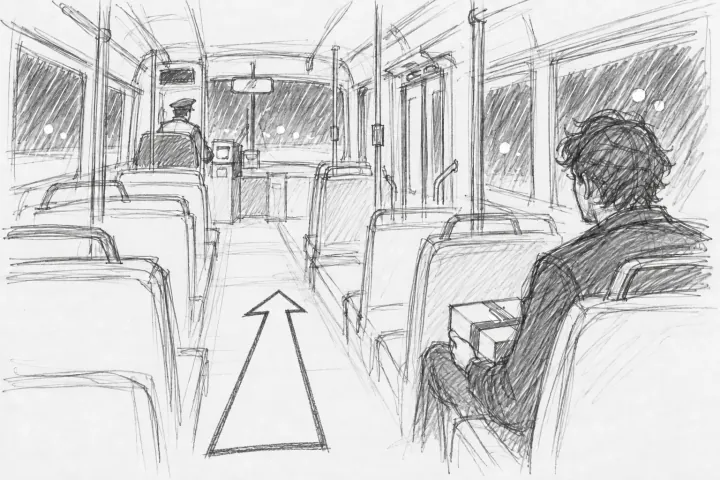 SHOT 1 / 3
Dev and the box
0.0 / 9s
Existing sample storyboards. This preview plays your order and hold times locally.
Your turn. Try a control and see what changes.
01 / Storyboards
Start with the shot.
Specify size, angle, movement, lens, setup and estimated minutes per shot. Attach storyboard frames, use existing images, draw, or annotate. The shot stays attached to the scene it belongs to.
See how it works →02 / Storyboards
Let the sequence breathe.
Reorder frames and set holds to try the rhythm. Play a timed animatic with sound, make notes, and adjust before the crew is waiting. Export or share the storyboard for review.
See how it works →03 / Storyboards
Bring the plan into production.
The shot list can accompany sides and call sheets. Breakdown tags identify what each scene needs; scene numbers and shooting revisions give the crew stable references.
See how it works →Your next step
Turn the script into a shooting plan.
Shot plans and visual references for scheduling and the shoot.
Production planningIn the workflow
Start wherever your story is.
These are possible next steps, not gates. Begin with what you have, and come back whenever the story asks.
Free desktop writing. Browser writing with a paid plan.