From first idea
to “that’s a wrap.”
Plan your story, write and revise the script, then schedule and run the shoot from the same screenplay.
Free writing in the app. Browser writing with a paid plan.
Explore the workflow ↓
Stories rarely travel in a straight line.
Come in wherever yours is.
01 / Idea → story
Catch an idea.
Give it a shape.
A stranger. A night bus. A suspiciously large cake. Catch the beat, find its place in the story, and turn it into a linked scene when you’re ready.
Explore story development →02 / Writing → rewriting
What if they
said this instead?
Keep the line you love. Try the one you’re not sure about. A few words can take the whole scene somewhere new.
Take it to a table read →A small scene. Your next take.
Night Bus
SCENE 01
INT. NIGHT BUS — NIGHT
Dev steps onto the last bus, holding a cake box like it might go off.
DRIVER
That's a lot of cake for one person.
DEV
It's not for one person.
Give Dev another answer
A fictional production. Three written takes, just for trying. In Screencake, keep your own alternate lines beside the draft.
Pick a different take. See where the scene goes.
Desktop writing is Free. Shared feedback and cloud draft history start with Writers Room.
Explore collaboration →03 / Scenes → pictures
Find the pictures
in the pages.
Plan the shots. Add frames, draw and annotate, then play an animatic to find the rhythm before you get to set.
Try the storyboard →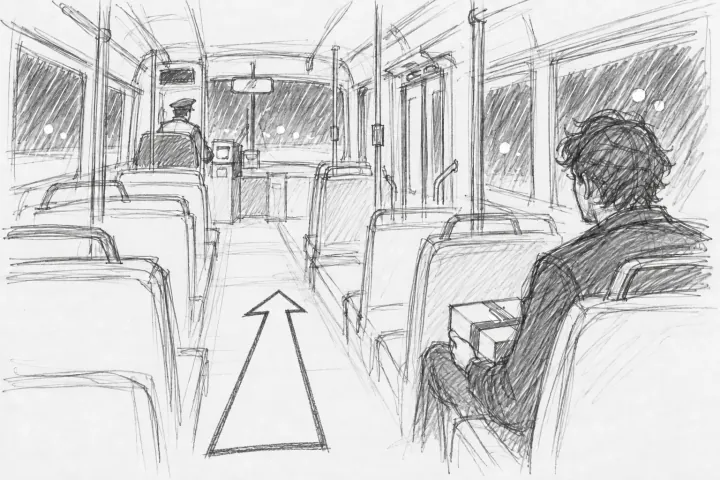
01Dev and the box
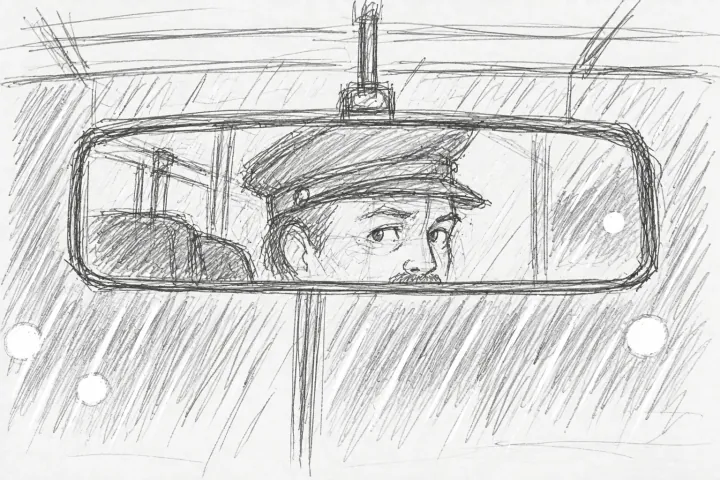
02The driver watches
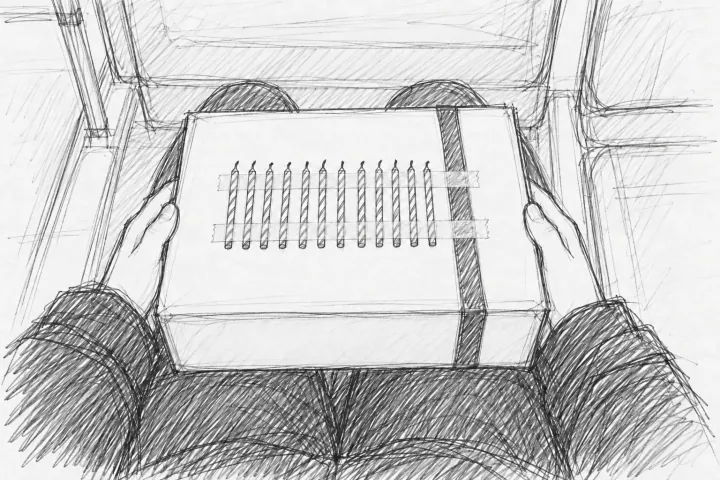
03Twelve birthdays
Night Bus, in three shots. A place, a glance, a clue.
Storyboards and production tools: Production or Studio. Budget actuals, fringes, scenarios, currencies and lock: Studio.
04 / Script → shooting plan
Turn the script into
a shooting plan.
Find the people and places. Break down what each scene needs, arrange the days, and bring the budget and paperwork along.
Explore production planning →The stripboard

05 / Plan → action
Keep the day
moving.
Send call sheets and see who’s confirmed. Track shots, coverage, continuity and takes as the day happens, while the details are still fresh.
Explore on-set tools →Marking coverage

06 / That’s a wrap → what’s next
Give the next person
what they need.
A circled take for the editor. Credits for the crew. Approved hours, costs and files for the office. Carry the useful details forward.
Circle the keeper →Collaborators are included.
Writers Room includes up to 10 collaborators; Production includes 25. Studio includes unlimited collaborators. Only the owner pays.
Find your plan →Cloud AI, on your terms.
Cloud AI is off until you turn it on. Nothing you write is sent to an AI service unless you ask, and it never trains one. Natural voices and scene search run on your device.
How optional AI works →Export your scripts.
Write offline on desktop. Export Final Draft, Fountain, PDF or Word. Read the details for sharing, encryption and production limits.
Read the offline limits →